Feature Requests Otional switch on/off for certain elements on the status page + reset check(s)
Closed
Per status page:
1) Clicking on the service now open page on updown, let us switch that on/off, if we don't want that
2) Let us switch on/off the display of check frequency
General:
And also, let us clear the history of 1 or multiple checks.

RtC
Created on November 08, 2024 · Last update on November 01, 2025
3 Comments
Ah, and it would be great if we could have the order on each status page changeable too (Like url, status, etc) ;-)
Thanks for these suggestions, here are a couple answers:
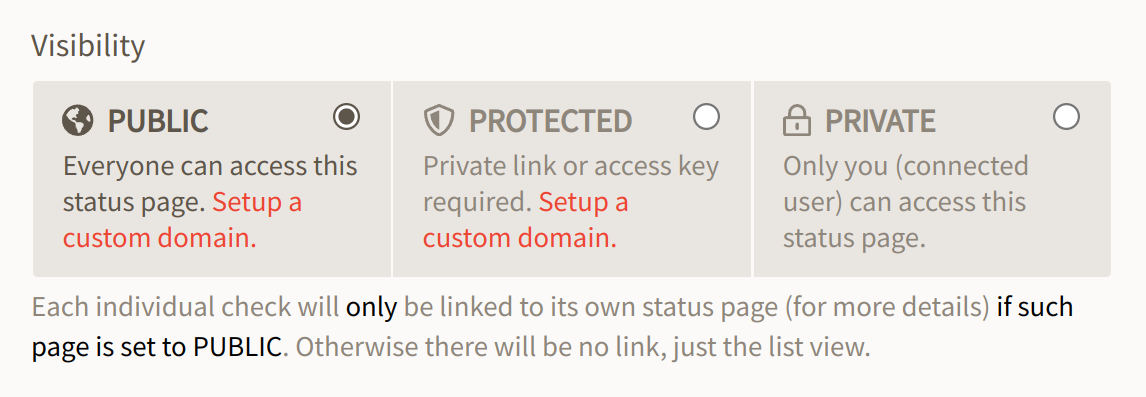
If your multi-site status page is Public, then the detailed single-site status page is only accessible if also set tu Public. So you can easily remove it by setting the individual status page to private if you prefer. (this is indicated under the visibility selector, see attached screenshot). If your multi-site status page is Private or Protected though you can't turn it off.
Why would that be an important feature for most users ? updown goal is to stay simple and inexpensive so unfortunately we can't really do that if we add options for every possible change people would like.
About the history clear, this is something I can do on my end if you ask me, but I did not want to add a button for that because it would make it a bit too easy to hide downtimes.
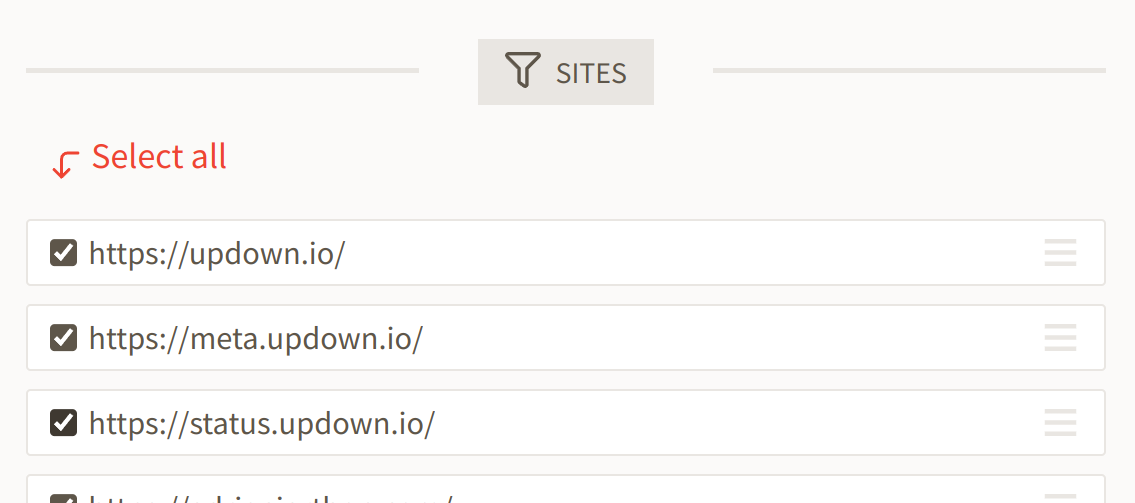
The order of sites in the status page can be modified as you wish with drag-and-drop (see other screenshot)
Sign in to comment